
Table of Contents
- What is the "All Departments View"?
- Functionality at All for Different Configurations
- All Departments View access
- Setting Default Department
- Reordering Departments
- Deep Dive on the Benefits of the All Departments View
What is the “All Departments View”?
Think of the All Departments View as a way to roll up all Departments within your organization. You can use the All Departments View to view and manage shared information across multiple departments in one place, rather than having to navigate between and update each department individually.
The functionality available in the All Departments View is dependent on your accounts specific configuration. Stores and Director can be set up with “Cross Department Items”, where items are managed at the All Departments View and then allocated to departments. This feature enhances the management of items shared across different parts of the business, ensuring items are valued consistently in every department. But Cross Department Items are not required to gain the benefits of the All Departments View. See below for a quick overview of the different functions of various pages within Craftable depending on if your account is configured with Cross Department Items or not. A more detailed deep dive is available at the end of this article.
Functionality at All for Different Configurations
|
Feature |
With Cross-Department Items |
Without Cross-Department Items |
|
Items |
Managed centrally at All Department View; the same item can be used across all departments. |
Maintained separately by department; changes must be made at the department level. |
|
Recipes |
Store managed Cross-Department Items are eligible to utilize Recipes at the All View to easily share recipes across multiple departments. (Note that with Recipes at All you cannot create recipes within individual Departments, only at All). |
Cannot utilize cross-department recipes. |
|
Orders |
Can view, edit, place, receive, and approve orders across all departments in one place. |
Can view Vendor Catalogs but no visibility to Orders. |
|
Invoices |
Can make edits and approve Vendor Invoices in one place. |
Can access all Vendor Invoices, but cannot make changes. |
|
Audits |
Can view all Departments’ Audits in one place. |
Audits are not visible at All, only within individual Departments |
|
Reports |
Features store-wide reports like Consolidated Purchases and "Ops Profit and Loss." |
Features store-wide reports like Consolidated Purchases and "Ops Profit and Loss." |
Note on "Cross Department Items": If you do not have them and wish to convert, please reach out to Craftable Support.
All Departments View Access
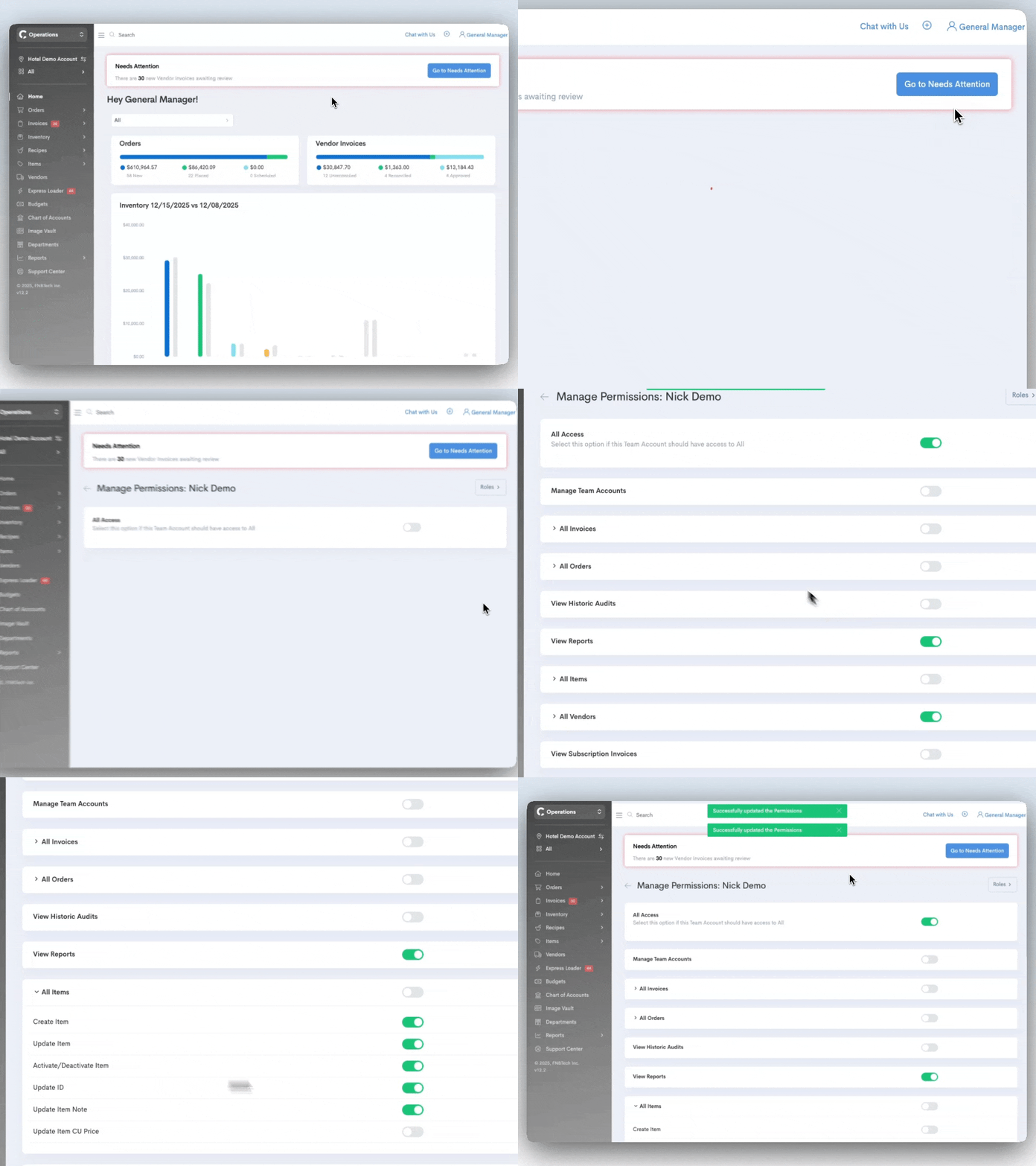
Users must be given access to view the All Departments View by the Account Owner of the Craftable system. If you are the Owner of your organization, this can be accomplished in the Team Accounts section (click on your name in the upper, right corner, and select Team Accounts). From here you’ll see two tabs - “All Department” and “Departments”. The “All Department” tab is where you set who can access the “All Departments Views” level.
Navigate to the user you’d like to grant access to, click on their name, and toggle the permission that states All Departments View Access. To grant access, ensure the toggle is “on” or showing green. Once active permissions relevant to the All Departments View will show. You can use Roles to ensure consistent access across your user base. (Please note that Roles for All Department View are different from your Department Roles.)
Setting Default Department
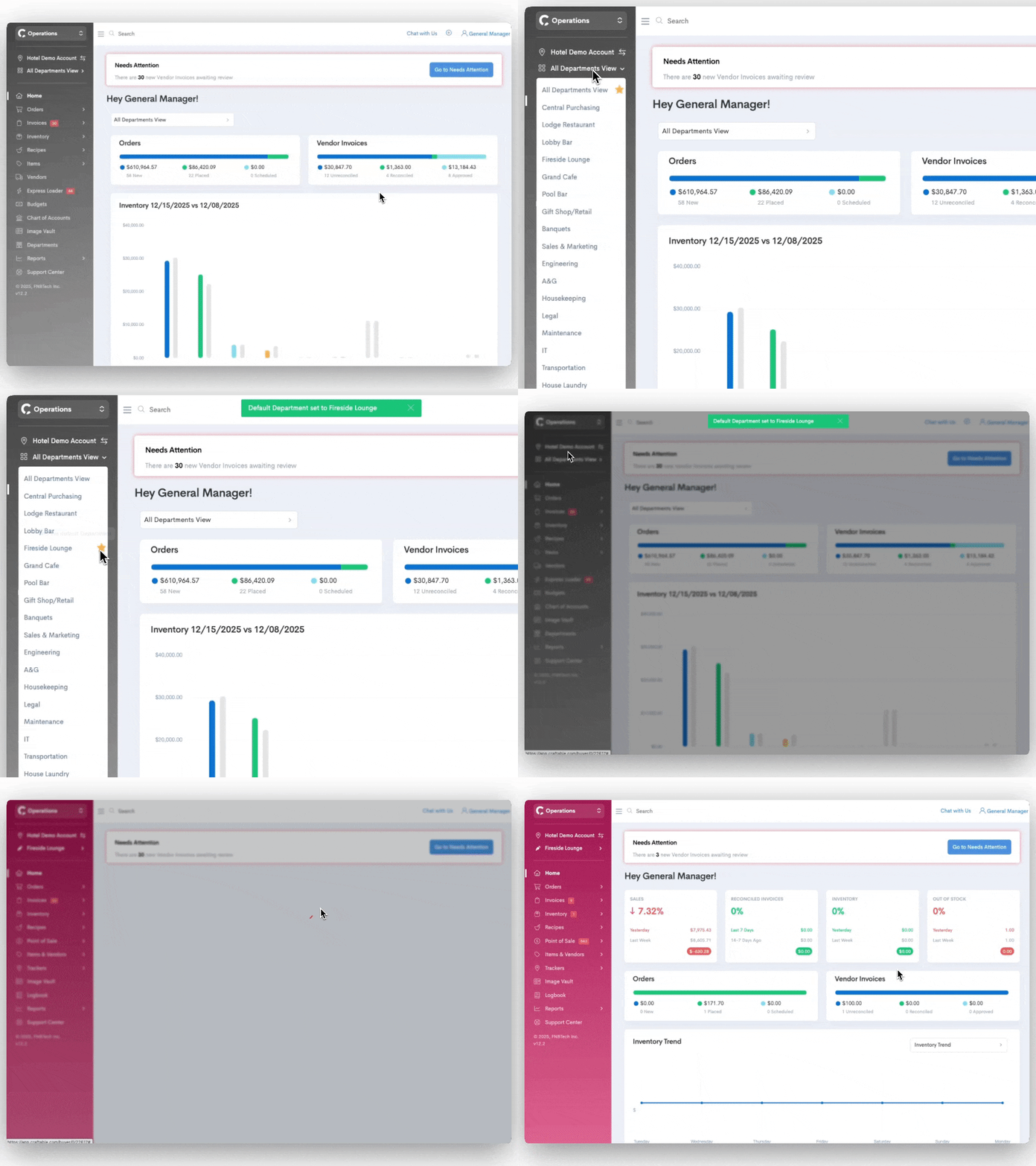
Do you wish you could land in the same department every time you log in? You can now set your default department! Simply click the star icon next to the department you wish to have as your default:
Reordering Departments
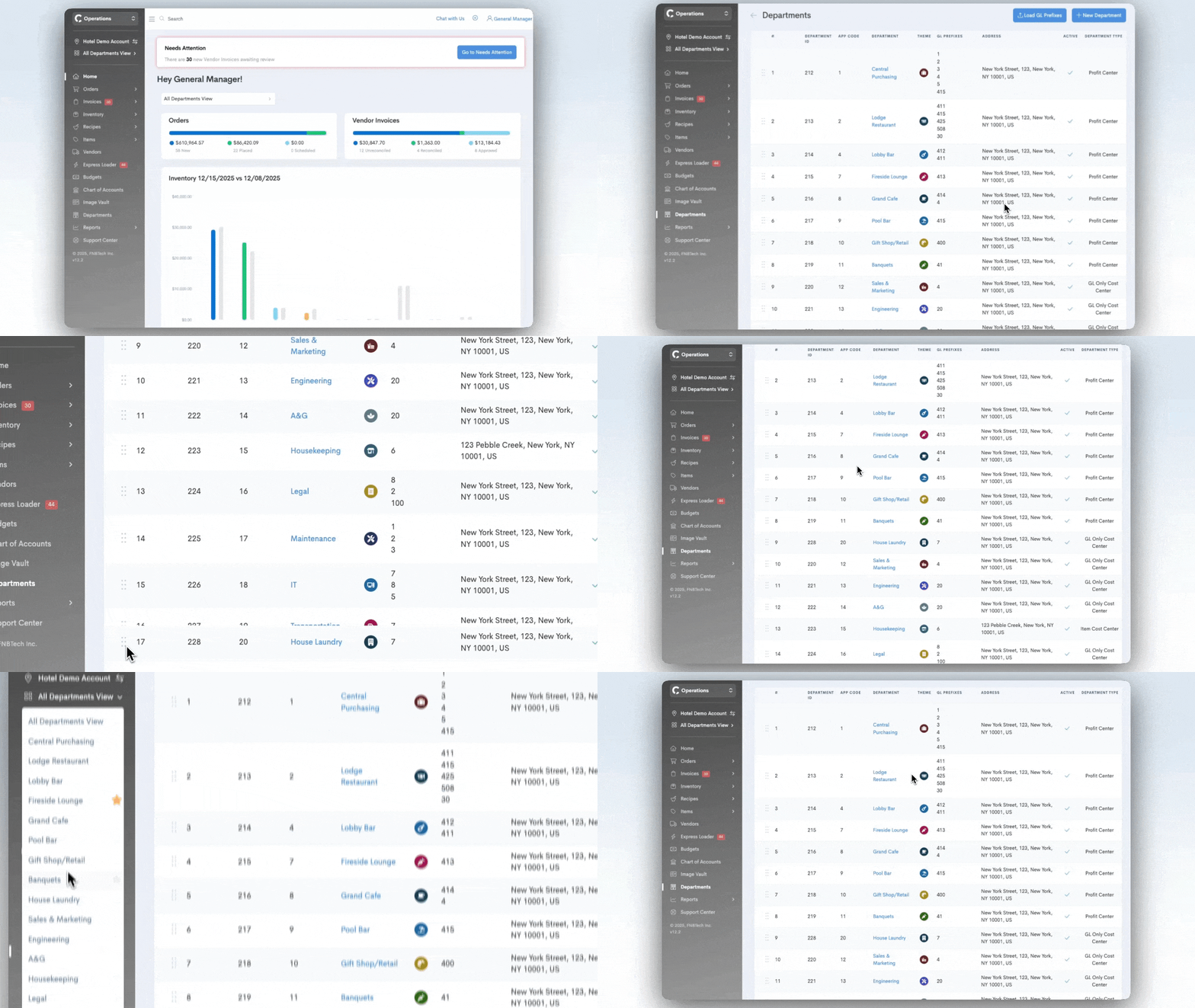
Account owners can reorder departments! While this is available for all accounts, this is especially use for hotels that may have 10+ departments.
To reorder your departments navigate to All Departments View > Departments and click the 6 dot icon to drag the department up or down the list. This will immediately update the order in the department switches dropdown.
Deep Dive on the Benefits of the All Departments View
- Items
- If you manage Items at the All Departments View, this is synonymous with “Cross Department Items.” These Items are managed centrally so the same Item can be used across departments.
- If you do not manage Items at the All Departments View, this means that all Items are maintained separately by department, and you must navigate to the department level to make any changes to Items. If you do wish to convert to Cross Department Items, you’ll need to reach out to Craftable Support to begin that discussion.
- Recipes
- If you utilize Cross Department Items that are managed at the Store level (not Director), you are eligible for Cross Department Recipes. This provides the ability to easily share recipes across multiple departments. Note that the All Departments View is the only place where you can share recipes across several departments (even if you have access to the Director level, which varies by subscription). When Cross Department Recipes are activated you will not be able to create or edit recipes at the Department level, on at All.
- If you do not have Cross Department Items, you will not be able to utilize Cross Department Recipes, as well.
- Orders
- At the All Departments View, you can also view Order Guides, Vendor Catalogs, and Orders across departments. While on All Departments View, you can access, edit, place, receive, and approve Orders without having to navigate to each department.
- Invoices
- If you are configured with Cross Department Items, you can make edits and approve Invoices in one place.
- If you do not have Cross Department Items, you can still view your Invoices across departments, however you will not be able to make any changes to them.
- Audits
- At the All Departments View, if you are configured with Cross Department Items, you can view all of your department's Audits in one place.
- Reports
- The All Departments View features reports that are designed to be run for the entire Store, rather than by department. Now you can easily data across departments on the various reports available at the All Departments View. Here you’ll also find the new “Ops Profit and Loss” report, an operational preview of sales, purchases, labor, and all expenses for the location rolled up.