Settings
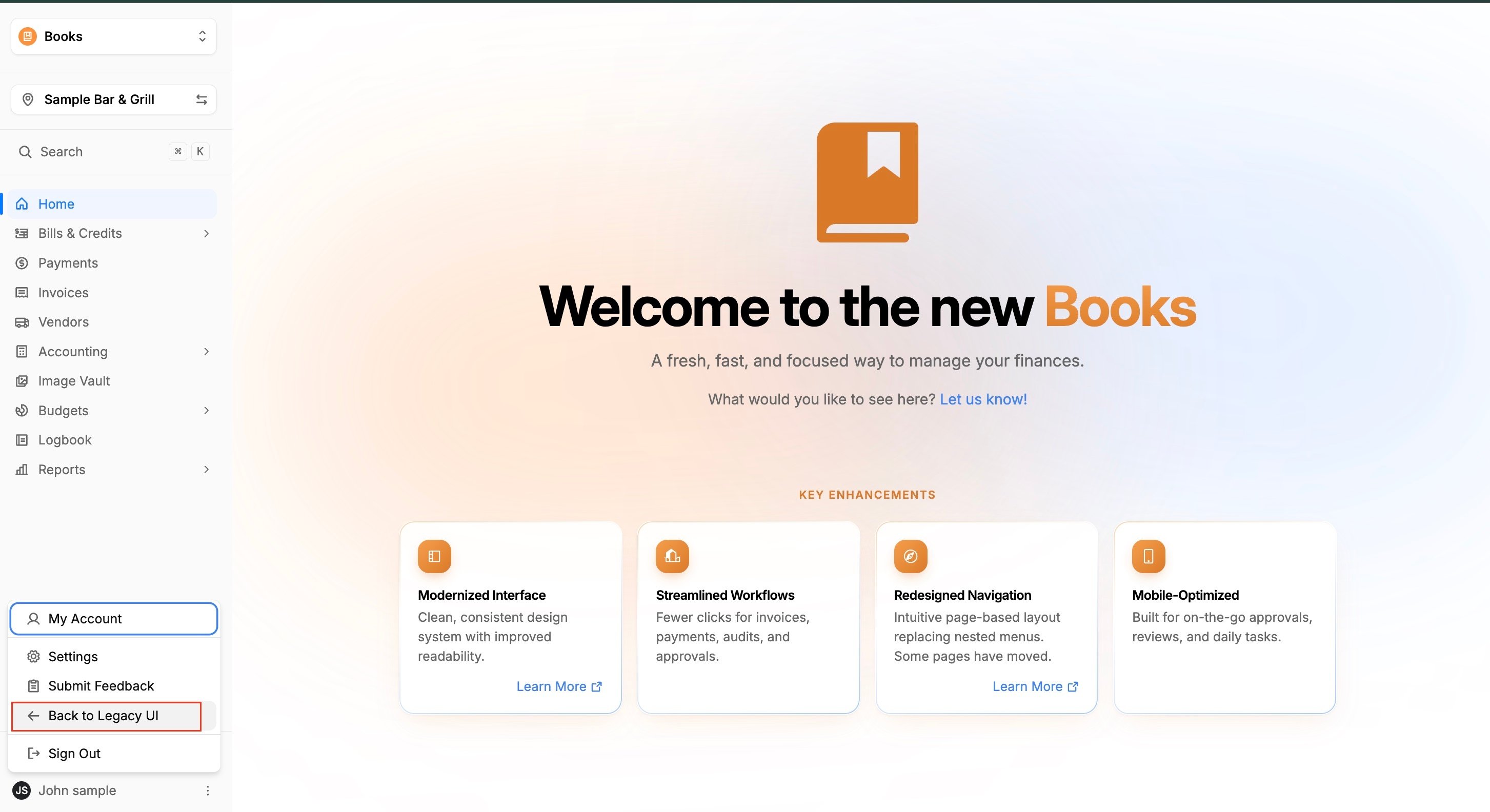
- A full Settings sidebar is now accessible by clicking your name at the bottom of the main sidebar.
- Update User Info has been renamed to Profile and now lives in Settings.
- Team Accounts, Roles, Store Settings, Ops Group Mapping, and Departments all now live in Settings.
- Manage Subscription has been renamed to Plans & Payments and now lives in Settings.
Invoices
- Director Invoices now display all Invoices and their full history, rather than only previously approved records.
- Invoice History is now a tab within the Invoices page, rather than a separate page.
Credit Trackers
- Credit Trackers have been moved into the Bills & Credits section of the sidebar.
- Credit Tracker History is now a tab within the Credit Trackers page, rather than a separate page.
Bills & Credits
- Bill History is now a tab within the Bills & Credits page, rather than a separate page.
- Bills & Credits Sync is now a tab on the Bills & Credits page called Ready to Sync.
- Sync History is now accessible via a button at the top right of the Bills & Credits page.
- Recurring Costs has been moved to the Bills & Credits section of the sidebar.
Payments
- Bills to Pay is now the first tab of the Payments page, rather than a separate page.
- Check Runs is now accessible via a button on the Payments page, rather than from the sidebar.
- The legacy Payments page has been replaced with two tabs on the new Payments page: Pending Payments and History.
- Checkbook Settings has been renamed to Checkbook and relocated to the Books Section of the Settings menu.
- Bank Accounts has been moved to the Books Section of the Settings menu.
Daily Sales & Reports
- The POS section has been removed from the main sidebar.
- Daily Sales now resides under the Reports section of the sidebar.
- The POS Mapping page has been removed. Ops Group Mappings is now its own standalone page under the Books section in the Settings Menu.
- Audits have been moved from the Inventory section to the Reports section of the sidebar.
Navigating to and from the New Interface
For a limited time, our customers are able to navigate back and forth between the new and the old interfaces, as needed.
To navigate to the new experience
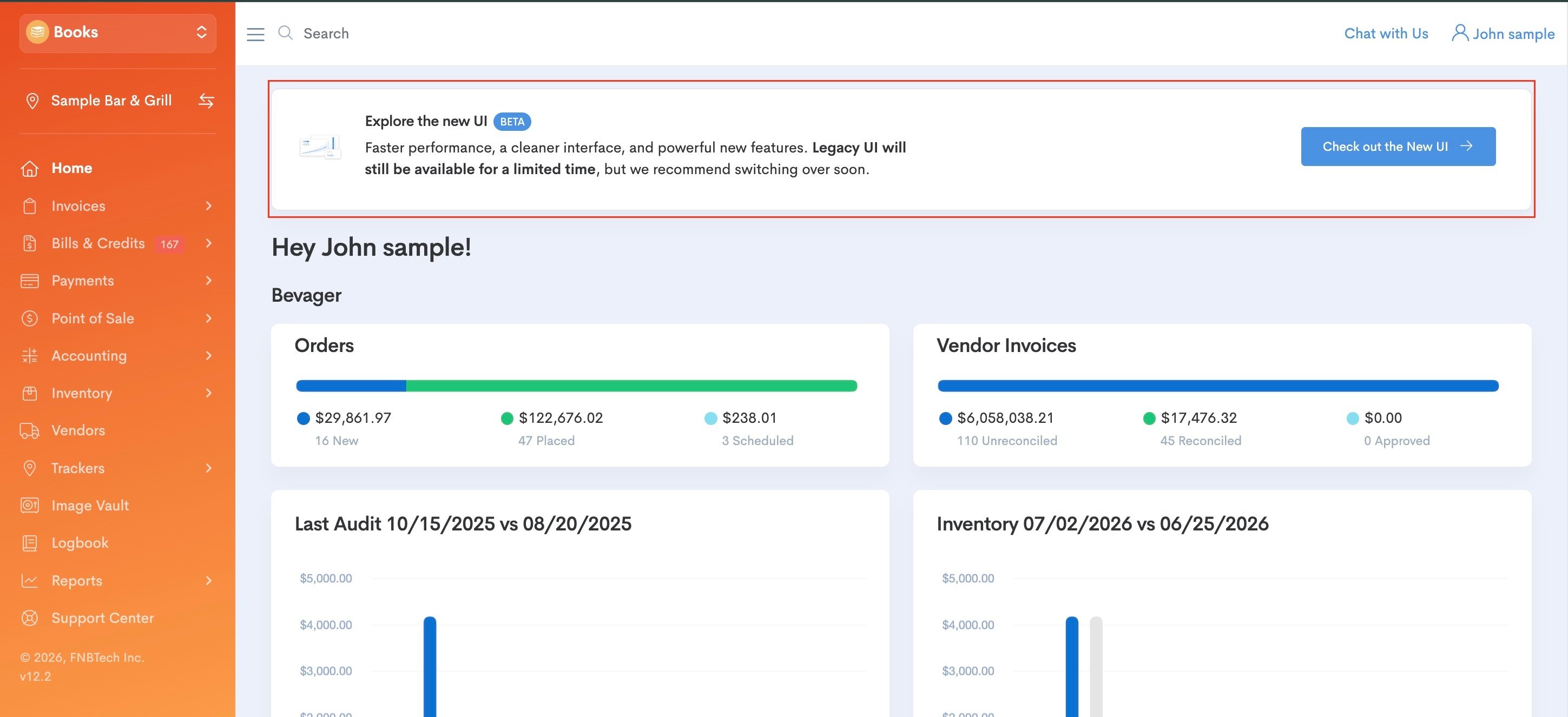
Click on the platform in the upper, left corner of the page and ensure you are in the Books Platform. From there, you'll see a banner at the top of the page that allows you to Check out the New UI -->. Select that blue button and it will take you to the new interface:
To return to the old experience
If you need to return to the old interface for a period of time, this is also possible, although the old interface will be sunset in the near future. While in the New Books interface, click on your name in the bottom, left corner of the page, and select <--Back to Legacy UI.
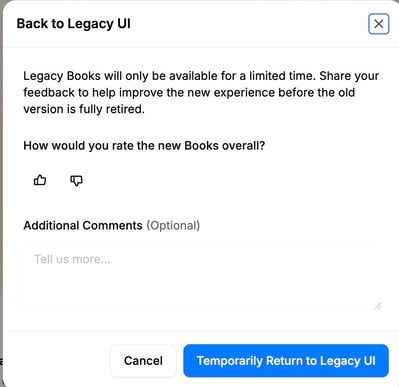
Upon leaving, you will be prompted to share your feedback on the new experience, and we would love to hear from you! All feedback is collected and reviewed by our Product Team. Simply select the thumbs up or thumbs down icon and leave comments if you are able, and then click on the blue Temporarily Return to Legacy UI button: